Give BorderPass collaborator access
Your account manager needs limited access to your store to check the app, review the routing and set up the payment gateway with you. This takes five minutes and you can revoke it at any time.
Shopify has a dedicated collaborator role for partners. It does not use one of your staff seats, and you approve exactly which permissions we get.
- Open SettingsUsers and scroll to Collaborators
You need to be the store owner or a staff member with permission to manage users.
- Copy your collaborator request code
Make sure Anyone with the collaborator request code can send a collaborator request is ticked, then copy the 4-character code shown underneath.
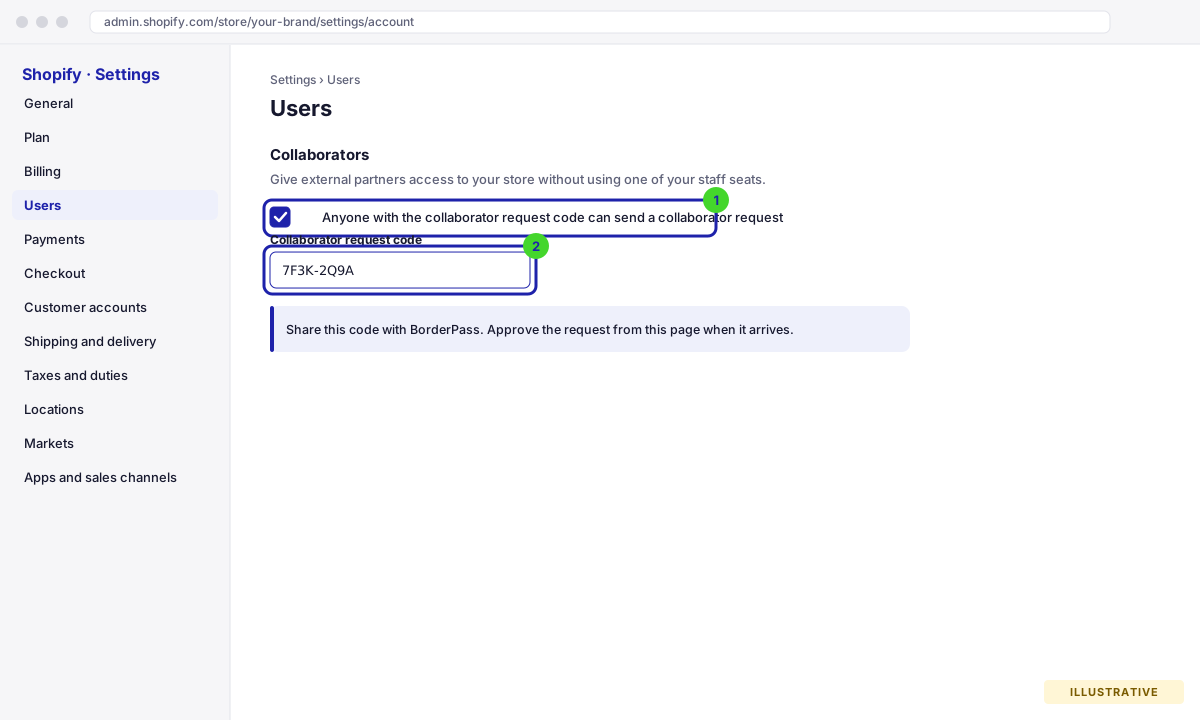
Settings → Users → Collaborators. The request code is what BorderPass needs. Illustrative drawing of the screen, not a real screenshot. - Send the code and your store URL to your account manager
Email it to borderpass@nxn.ae or reply to your onboarding thread. We send the collaborator request within one working day.
- Accept the request
You receive an email from Shopify. Open SettingsUsers, review the permissions requested (Orders, Products, Apps and channels, Online Store themes, Settings) and click Accept request. The theme permission is only used to add the small
borderpass-cart.jsscript on the gateway call.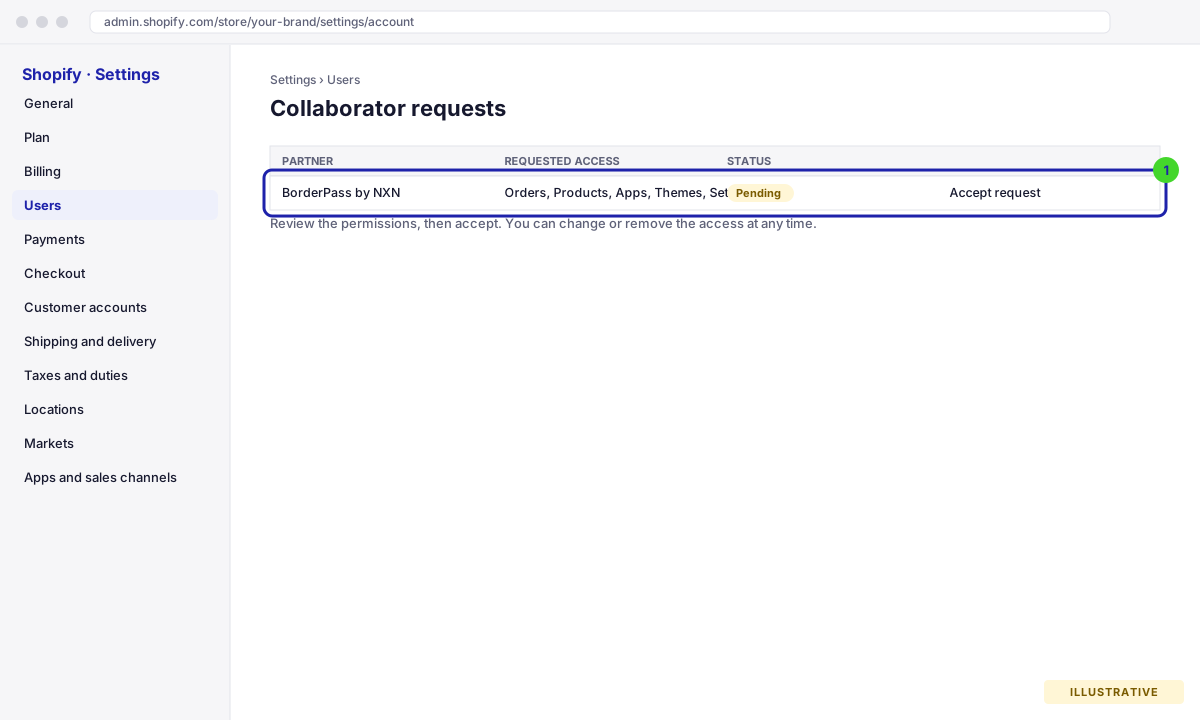
The request lists the permissions; accept it from Settings → Users. Illustrative drawing of the screen, not a real screenshot.
WooCommerce has no collaborator feature, so you create a WordPress user for BorderPass with the Shop Manager role. The plugin itself talks to BorderPass with your API key (next section); no extra passwords or REST credentials are needed.
- Go to UsersAdd New User in WordPress admin
You need an Administrator login for this.
- Create the BorderPass user
Username
borderpass, emailborderpass@nxn.ae, role Shop Manager. Tick Send the new user an email about their account so we can set our own password. Click Add New User.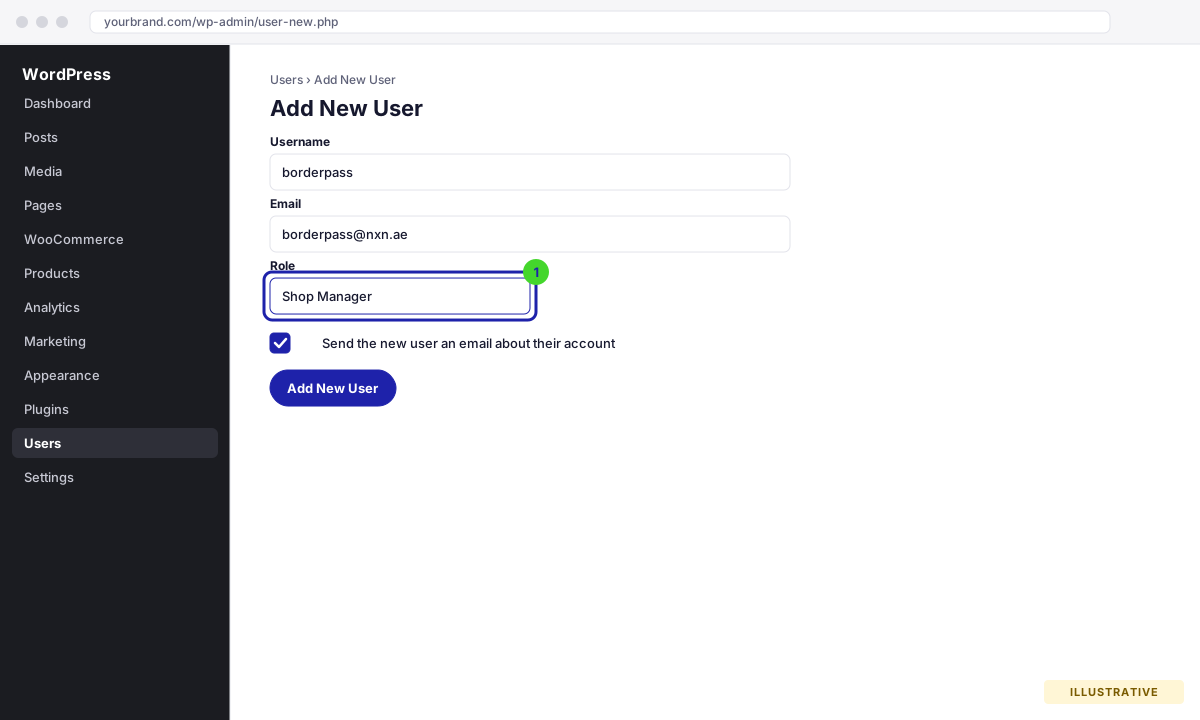
Shop Manager can manage orders, products and WooCommerce settings (including the BorderPass tab) but not themes, plugins or other users. Illustrative drawing of the screen, not a real screenshot. - Tell us it is done
Reply to your onboarding thread with the store URL. We sign in with the link WordPress emailed us; you never have to share a password.
Revoking access later
You stay in control. On Shopify, remove the collaborator from Settings → Users. On WooCommerce, delete the borderpass user (or change its role). The app or plugin keeps working either way, because it is linked with your API key, not with this access. Keep the access while you are live: without it we cannot help you with gateway or app issues quickly.