Test order and go-live
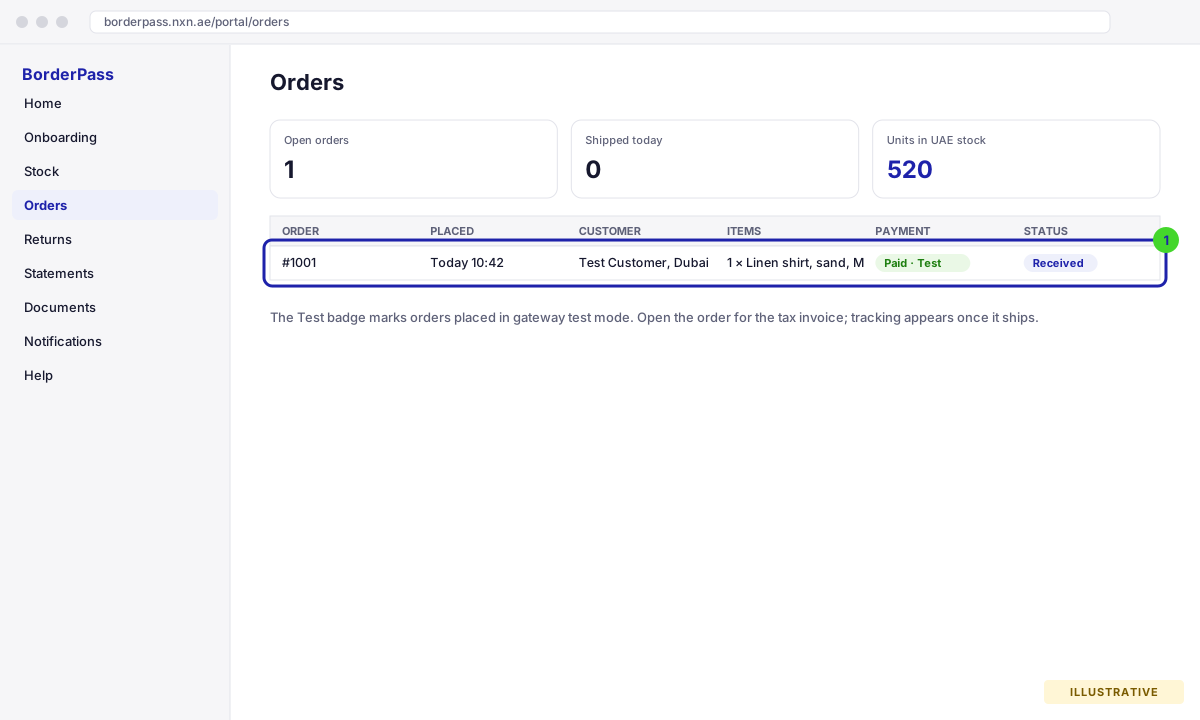
One end-to-end test order proves the whole chain: store, gateway, BorderPass platform, warehouse, tax invoice and tracking. A deliberately failed payment proves the chain fails safely. When both pass, we switch the gateway to live mode.
Place the test order
- Make sure the gateway is in test mode
Your account manager confirms this on the call. In test mode the gateway accepts a test card and no money moves. Orders placed through a gateway in test mode are marked with a Test badge in your portal (Shopify reports test orders to us; on WooCommerce the plugin detects the gateway’s test or sandbox mode), so they are easy to tell apart from real ones.
If the Merchant of Record gateway is not available yet, the test order still runs with a test gateway: on Shopify the built-in Bogus Gateway (card number
1approves,2declines,3errors) or Shopify Payments in test mode; on WooCommerce either Stripe in test mode or the BorderPass Sandbox Gateway plugin we provide (download it from Help in your portal), which shows a hosted payment page exactly like the real MoR gateway. Select it as the Merchant-of-Record gateway in the plugin settings for the test, and switch back to the real gateway before go-live. - Order the test product as a UAE customer
Open your store, add the test product (a BorderPass SKU) to the cart and check out with a UAE shipping address and a phone number in
+971format. Use your own email so you receive the confirmation and the tax invoice. At the payment step you should see only the MoR gateway and the disclaimer with the Consumer Terms link. - Pay with the test card
Use the test card your account manager gives you (for example
4242 4242 4242 4242, any future expiry, any CVC). Complete 3-D Secure if prompted. The same card number approves on Stripe test mode and on the BorderPass Sandbox Gateway.
What to check
Try a failed payment
Do this once as well, so you know what your customers see. Add the test product again with a UAE address and either pay with the gateway’s declined test card (4000 0000 0000 0002 on Stripe test mode and on the BorderPass Sandbox Gateway; 2 on Shopify’s Bogus Gateway) or leave the gateway page before paying (the sandbox gateway has a “Cancel and return to the store” link for this).
If something is missing
- Order not in the portal: the shipping country is not UAE, the product is not switched on for BorderPass, or the store is not linked. Check section 4, then ask us to re-send the order (we can pull it by order number).
- Only your usual gateways showed, no MoR gateway: the basket was not routed. Most often the SKU has no UAE stock yet or is not switched on; on WooCommerce also check that the Merchant-of-Record gateway is selected in the plugin settings.
- No tax invoice email: check spam first; otherwise the customer email was missing on the order. Open the order in the portal and download the PDF, or ask your account manager to resend it.
- Totals off by 5%: prices are not VAT-inclusive. See section 5.
Going live
- We cancel and refund the test order
It keeps its Test badge on the platform and is excluded from your success metrics and statements.
- The gateway is switched to live mode
Your account manager does this with you, usually on the same day. From this moment real UAE orders are charged and fulfilled.
- You place one real order (optional but recommended)
A small order to a UAE address, paid with a real card, lets you see the full customer experience including delivery. Refund it afterwards if you like.
- Stage 7: Live
The portal shows Live with the date. Announce the UAE launch to your customers. Your account manager keeps watching the first orders with you.
Next, get to know the platform where your stock, orders and returns live.